
🚀 VMOS Edge Quick Start
This guide will walk you step by step through configuring the VMOS Edge hardware host. In just five steps, you will be able to control multiple cloud Android systems from your computer as if they were physical phones.
💻 Step 2: Download and Install the PC Client
You will use the desktop client to remotely control the host.
1. Download the Client for Your System
Please go to the Release History to download the latest version of the client.
macOS Installation Note
If you are using macOS, you may encounter a "Cannot verify developer" security prompt. Please follow the steps based on the prompt you see:
Case 1 (New Prompt): If the prompt includes an "Open Anyway" button, click it to launch the app directly. No further setup is needed.
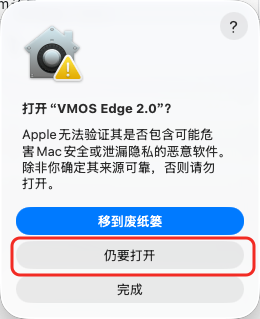
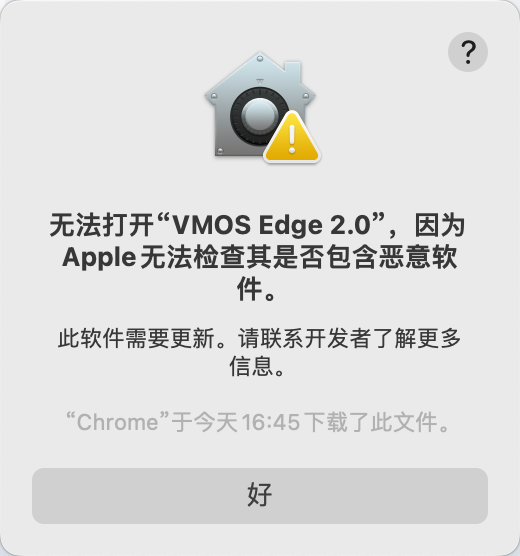
Case 2 (Standard Prompt): If the prompt only has "Move to Trash" and "Done", please follow these steps:
- Click Done: Close the prompt.
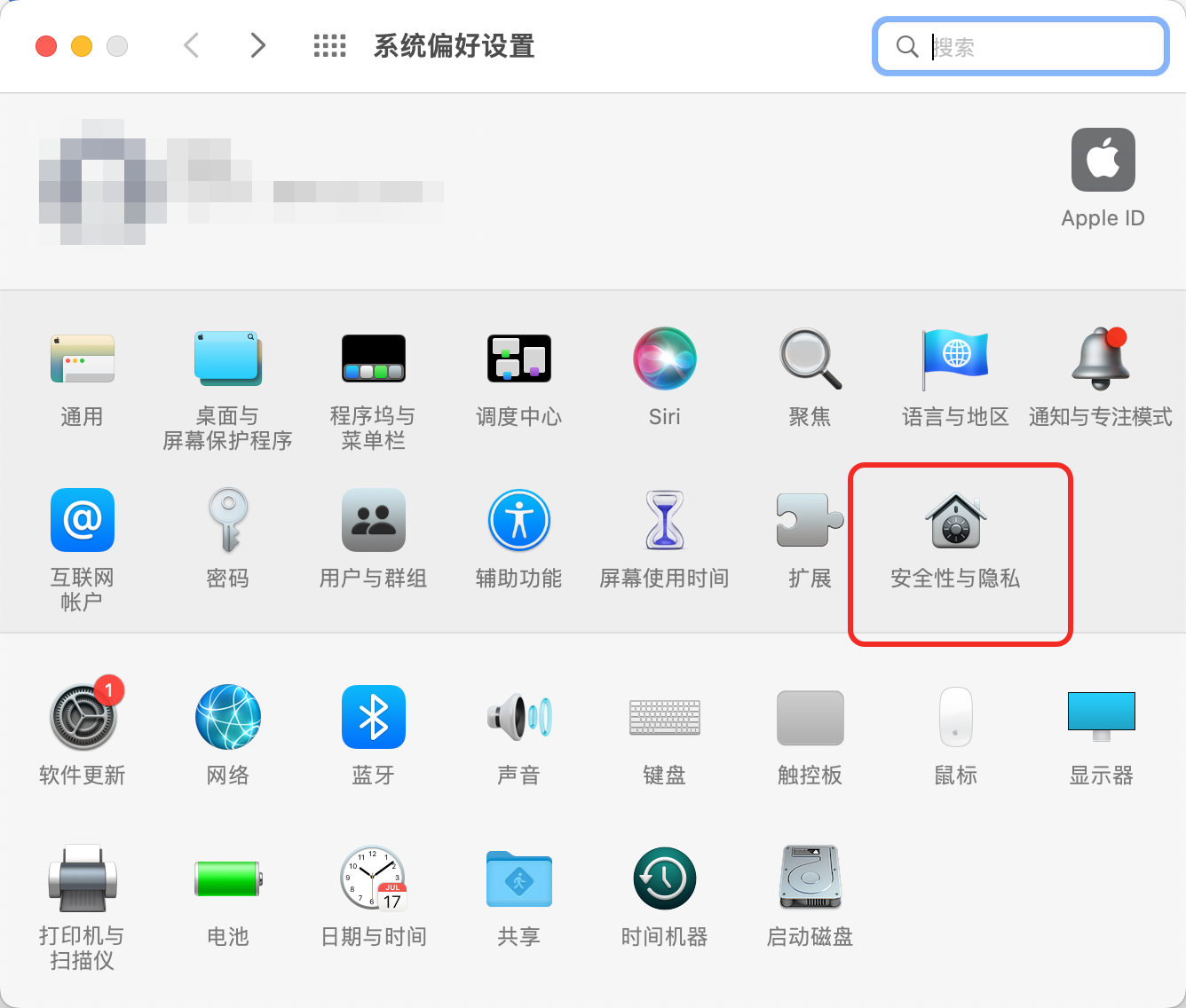
- Go to Settings: Open "System Settings" -> "Privacy & Security". In the "Security" section, click "Open Anyway".
- Confirm Open: Click "Open" in the confirmation popup.

- Click Done: Close the prompt.
2. Connect Your Host
- Install and run the VMOS Edge client
- Search for hosts: The software will automatically scan the local network.
- Confirm host IP: If the host is not found automatically, please check the cable connection or click “Add Host” to manually enter the IP.